
 Pre-alpha, about 40% ready for real work
Sound, a free audio editor and DAW in your browser
Record, edit and mix audio on a multitrack timeline with a full mixer, automation and MIDI. A free alternative to Audition and Ableton Live and FL Studio.
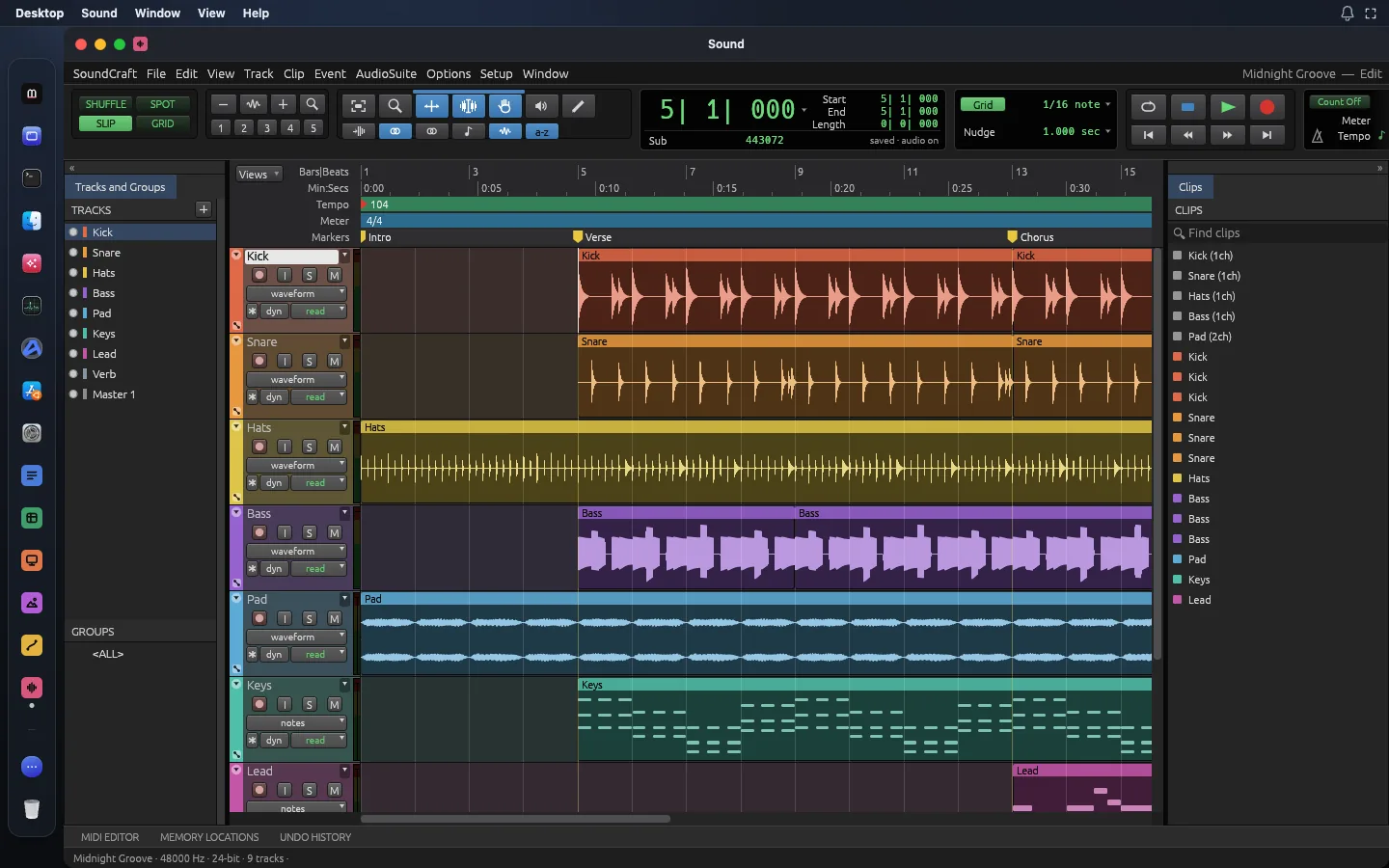
What Sound does
From the app’s own documentation, version 0.15.0.
Tools
- Multitrack editing with fades, crossfades and comping lanes
- Mixer with inserts, sends, busses and VCAs
- Automation for volume, pan, sends and plugins
- Built-in EQs, dynamics, reverbs, synths and a sampler
- MIDI piano roll, score view and quantize
- Punch-in and loop recording
- Surround up to 9.1.6 and Ambisonics
- Bounce the mix or stems with a loudness report
Files it opens
Files it saves
Not there yet
- Choosing an audio interface and buffer size
- Recording MIDI from a controller
- AAF and OMF session exchange
What Sound replaces
The paid apps people use for the same job. Prices from the vendors’ US pages on 14 November 2026.
Audition costs US$22.99 a month on an annual plan, billed monthly.
Read the comparisonSound instead of Creative Cloud ProCreative Cloud Pro costs US$69.99 a month on an annual plan, billed monthly (US$779.88 a year paid up front).
Read the comparisonSound instead of Ableton LiveAbleton Live costs US$349 once for Live 12 Standard (list price).
Read the comparisonSound instead of FL StudioFL Studio costs US$179 once for Producer Edition (list price).
Read the comparisonSound questions
Is Sound free?
Yes. Sound is part of Madosuite, which is free. It runs in your browser on your own device.
Which files does Sound open?
WAV, AIFF, FLAC, MP3, Ogg, AAC, ALAC, CAF, MIDI. It saves WAV, AIFF, FLAC, MIDI, MusicXML.
Is Sound ready for real work?
Pre-alpha: its makers rate it about 40% ready for real work. Not there yet: choosing an audio interface and buffer size; recording midi from a controller; aaf and omf session exchange.
Can Sound replace Audition?
For recording, cleaning up and mixing audio, often yes, and free. Sound is pre-alpha: you cannot yet pick an audio interface or buffer size.
Where are my files kept?
In the browser on your device, inside Madosuite’s own Linux machine, in its home folder. Your files are not uploaded to us. Clearing the site’s data in your browser deletes them, so download what you want to keep.
Who makes the apps?
The suite apps are the ArtCraft team’s open-source Crafting Apps, under the MIT or Apache-2.0 licence. Madosuite puts them on one desktop in your browser, with Files, a Terminal and Edix, the code editor. See credits.
More apps in Madosuite
 Word
Write and lay out documents with the ribbon, styles, tables, track changes and references you already know, and save real .docx files.
 Grid
Spreadsheets with 500+ functions, dynamic arrays, pivot tables and charts, saved as .xlsx.
 Deck
Build slide decks with themes, charts, transitions and animations, open and save .pptx, and present full screen.
 Photo
Edit images with layers, masks, adjustment layers, layer styles and type, and open and save real .psd files.
Sound is SoundCraft 0.15.0 by the ArtCraft team, open source under MIT or Apache-2.0. Credits.